Official brand resources

ReservationHub brand kit. Logos, colours and rules in one place.

The single source of truth for the ReservationHub brand. Partners, customers, media and designers can download every approved logo, icon and social asset here, with the guidelines for using them correctly.

Last updated: November 2026
Brand overview

One platform, three ways to connect.

ReservationHub is the travel technology brand of Innovate Solution, building travel software since 2013. It is sold three ways: a hosted SaaS booking platform for agencies going online, a Source Code Edition for businesses that want to own and run the platform, and the Travel API for companies that already have their own systems.

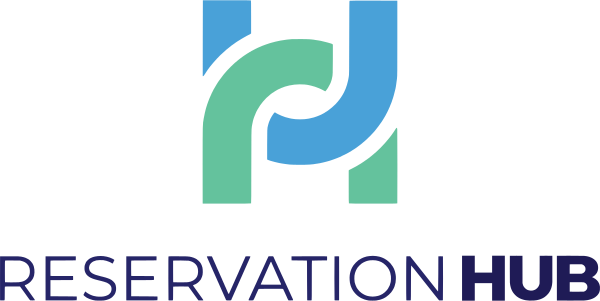
The identity reflects that idea of connection. In the H mark, two interlocking strokes in Sky Blue and Mint Green join the two sides of the letter: suppliers and sellers, content and distribution. The rest of the name is set in deep navy, so the mark carries the colour.

The name is always written ReservationHub: one word, capital R and capital H.

Connected

The interlocking H is the core idea. Show links between parts, not isolated pieces.

Dependable

Navy-led, calm layouts. Travel businesses run on this platform every day.

Clear

Plain language, real figures, no hype. Say which product fits which buyer.

Global

Built for the Middle East, Europe and Asia. Works in right-to-left layouts too.

Logo

Four lockups, five colour versions.

Every file is vector-accurate to the master artwork. SVG for web and apps, PDF or EPS for print, transparent PNG when a bitmap is required.

The icon has no reverse version: the full-colour mark already works on dark backgrounds.

Clear space & minimum size

Give the logo room to breathe.

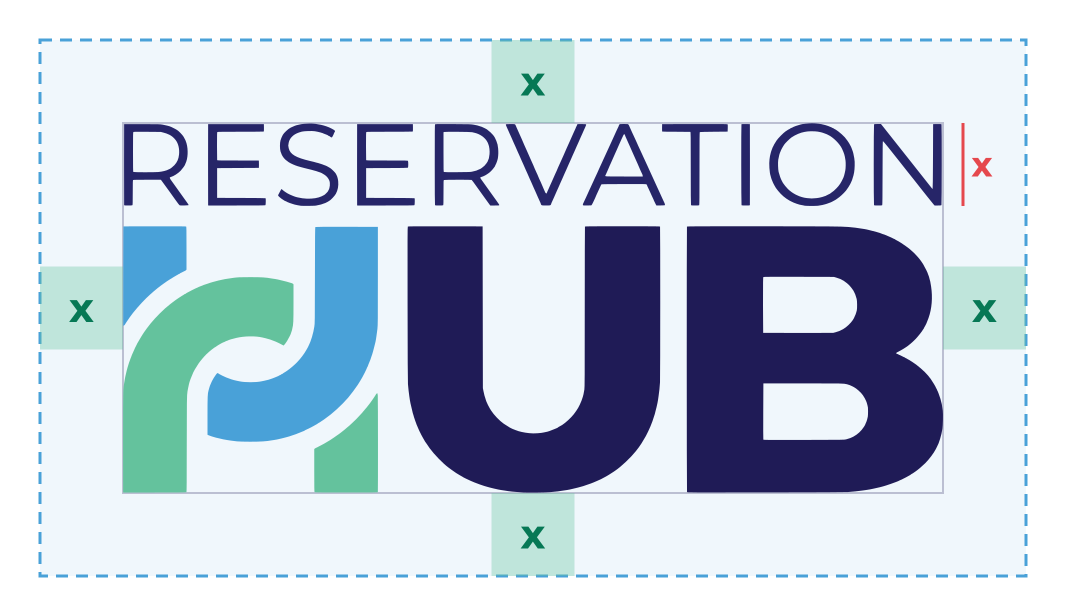
Clear space around the ReservationHub logo equals x, the height of the word RESERVATION, on all four sides

Clear space: keep an empty margin of x on every side, where x is the height of the word “RESERVATION” (about 22% of the primary logo's height). For the horizontal and vertical logos, x is the height of the one-line wordmark. For the icon, use a quarter of the icon's width.

No text, edges, other logos or busy imagery may enter this area.

LogoMinimum on screenMinimum in print
Primary120 px wide30 mm wide
Horizontal160 px wide40 mm wide
Vertical100 px wide25 mm wide
Icon16 px6 mm
Approved & prohibited use

Use the files exactly as supplied.

Anyone may use these assets to refer to ReservationHub: partners, customers, integrators, press and event organisers. Using them does not imply partnership or endorsement unless we have agreed it in writing.

✓Full-colour logo on white or a light background.
✓Reverse logo on Hub Navy or another dark colour.
✓All-white logo on a brand colour or a calm photo.
✓Single-colour black or navy when only one ink is available.
✕Do not stretch, squash or change the proportions.
✕Do not recolour the logo or the H mark.
✕Do not rotate, skew or set the logo on a path.
✕Do not add shadows, glows, outlines or 3D effects.
✕Do not place the full-colour logo on dark backgrounds.
✕Do not use busy or low-contrast backgrounds.
✕Do not fade the logo or lower its opacity.
ReservationHub
✕Do not retype the name in another font or rebuild the logo.
Colour palette

Navy carries the name. Blue and mint carry the mark.

Click any value to copy it.

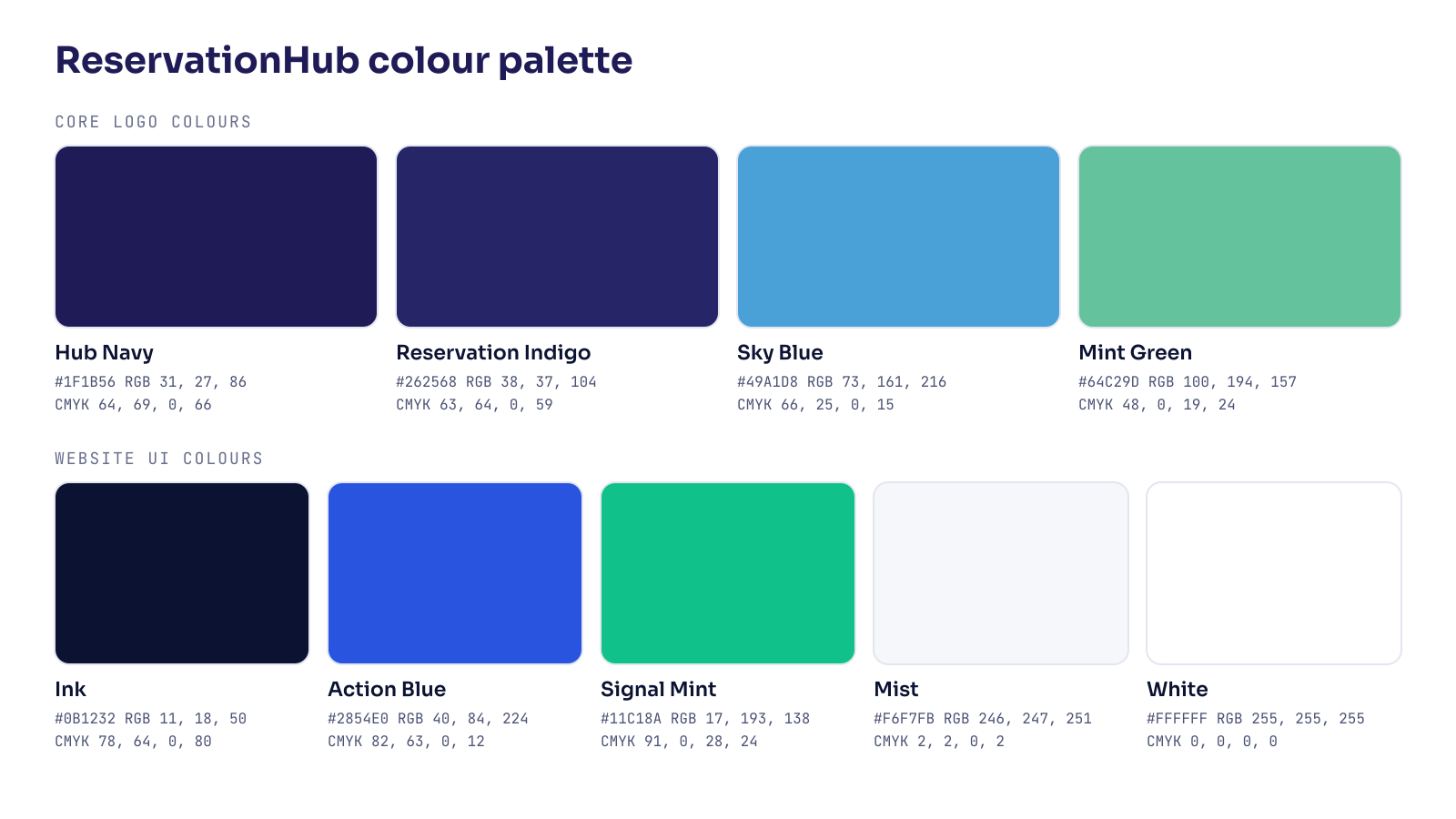
Core logo colours

Hub Navy

Primary. "HUB" letters, headlines, dark backgrounds.

Reservation Indigo

"RESERVATION" letters, gradients alongside Hub Navy.

Sky Blue

Mark accent (upper stroke). Graphics, highlights; not for body text.

Mint Green

Mark accent (lower stroke). Graphics, highlights; not for body text.

Website interface colours

Ink

Website text, primary buttons and footer background.

Action Blue

Website accent blue for icons, tags and highlights.

Signal Mint

Website accents and success states.

Mist

Website section backgrounds.

White

Backgrounds and reversed logo.

CMYK values are converted from sRGB for reference; ask your printer for a proof. No Pantone match has been specified. Palette files: CSS · JSON · ASE · GPL · PNG.

Typography

Four free typefaces, each with one job.

Logo · Montserrat Regular / ExtraBold
RESERVATION in Montserrat Regular and HUB in Montserrat ExtraBold

The logo letterforms. They are supplied as outlines in every logo file, so never retype the logo.

Montserrat on Google Fonts ↗
Display · Sora 600–700
Travel technology, connected.

Headlines, titles and banner copy. Tight letter-spacing (−0.025em) at large sizes.

Sora on Google Fonts ↗
Body · DM Sans 400–600
Hosted SaaS, source-code editions and content APIs from one platform.

Paragraphs, interface text and captions. 15–17 px on screen, line-height 1.55.

DM Sans on Google Fonts ↗
Labels · JetBrains Mono 500
GDS · NDC · LCC · HOTELS

Eyebrow labels, codes, URLs and figures. Uppercase with wide tracking.

JetBrains Mono on Google Fonts ↗

All four are licensed under the SIL Open Font License. In Microsoft Office documents where they are not installed, use Arial.

Iconography & visual elements

Built from the H mark.

The H mark

Use it as the app icon, avatar and favicon, and as a sign-off on slides. Never use it as a bullet or a decorative pattern at small sizes.

Arc watermark

An oversized white H mark at 5–8% opacity, bleeding off the edge of navy backgrounds. Used on covers and banners behind the logo, never in front of it.

Connection bar

A thin Mint → Sky Blue → Indigo gradient along the bottom edge of covers, share images and slides.

Icons: use simple line icons at 1.5–1.6 px stroke with round caps, in Ink or Hub Navy, with Sky Blue or Mint Green only for emphasis. Keep corners consistent and avoid filled, multi-colour clip-art.

Photography: real travel and real people at work; natural light; no heavy filters. Put the logo on the calmest part of the image, using the white version.

Background & contrast

Pick the version by the background.

Sky Blue and Mint Green are below the 4.5:1 WCAG AA contrast ratio on white, so use them for graphics and the mark, never for body text on white.

BackgroundLogo versionText colourContrast (text)
White, Mist #F6F7FBFull colourInk #0B1232 / Hub Navy18.3:1 / 15.6:1
Hub Navy #1F1B56, Ink #0B1232ReverseWhite15.6:1 / 18.3:1
Reservation Indigo #262568ReverseWhite13.6:1
Sky Blue #49A1D8White (one colour) or navyHub Navy5.5:1
Mint Green #64C29DWhite (one colour) or navyHub Navy7.2:1
PhotographyWhite (one colour) on a calm areaWhite on a dark overlay≥ 4.5:1
Social media branding

Sized for every platform.

Profile images use the H mark on white so it stays readable inside circular crops; the account name next to it carries “ReservationHub”. Covers use the reverse primary logo inside each platform's safe area. Upload the PNGs as they are, without re-cropping.

PlatformAssetSize (px)NotesDownload
FacebookProfile picture720 × 720Shown as a circle at 176 px; keep the mark inside the centre.PNG 12 KB
FacebookCover photo1640 × 624Content sits in the centre so mobile (side crop) and desktop both show it.PNG 88 KB
LinkedInCompany logo400 × 400Square; LinkedIn may round the corners.PNG 6 KB
LinkedInCompany cover1128 × 191Left 300 px kept clear for the overlapping company logo.PNG 24 KB
InstagramProfile picture1080 × 1080Displayed as a 320 px circle.PNG 19 KB
X (Twitter)Profile picture400 × 400Displayed as a circle.PNG 6 KB
X (Twitter)Header1500 × 500Profile picture overlaps bottom-left; content is centred.PNG 79 KB
YouTubeChannel icon800 × 800Displayed as a circle.PNG 14 KB
YouTubeChannel banner2560 × 1440Logo and copy inside the 1546 × 423 safe area visible on every device.PNG 158 KB
WhatsApp BusinessProfile picture640 × 640Circular crop.PNG 11 KB
TelegramProfile picture640 × 640Circular crop.PNG 11 KB
TikTokProfile picture720 × 720Circular crop; minimum 200 × 200.PNG 12 KB
Google Business ProfileLogo720 × 720Square; minimum 250 × 250.PNG 12 KB
Google Business ProfileCover photo1080 × 60816:9; Google may crop edges, so content is centred.PNG 70 KB
Open GraphDefault share image1200 × 630Used by reservationhub.net pages; also fits X large cards.PNG 55 KB
Open GraphDark share image1200 × 630Alternative for campaign links.PNG 77 KB

Need the full logo instead of the mark as a profile image? Use the profile alternates (1080 × 1080, light and dark) in the social package. Name the accounts “ReservationHub”, link to www.reservationhub.net, and use the same profile image everywhere.

Favicons, app & web icons

The mark, at every size.

At 16–32 px the full logo is unreadable, so browser and app icons use the H mark. Apple and maskable icons sit on solid white because those platforms ignore transparency and crop to their own shapes.

FileSizeUsed byDownload
favicon.ico16, 32, 48All browsers, legacy fallbackICO 6 KB
favicon.svgscalableModern browsers (Chrome, Edge, Firefox, Safari)SVG 11 KB
favicon-16/32/48.png16, 32, 48Browser tabs, bookmarks16 1 KB 32 2 KB 48 3 KB
apple-touch-icon.png180iPhone and iPad home screenPNG 6 KB
android-chrome-192/512.png192, 512Android home screen, PWA192 11 KB 512 41 KB
maskable-icon-512.png512Android adaptive icons (safe zone respected)PNG 8 KB
app icon light / dark180, 512, 1024App stores, launchers, integrations marketplacesLight 20 KB Dark 20 KB
Downloads

Take everything, or just what you need.

Complete brand kit

Everything on this page: logos, icons, favicons, social assets, colours, typography and the guidelines PDF.

Download ZIP · 6.2 MB

Logos

Primary, horizontal, vertical and icon in five colour versions; SVG, PDF, EPS and PNG.

Download ZIP · 3.1 MB

Favicons & app icons

favicon.ico, favicon.svg, PNG favicons, apple-touch-icon, Android, maskable and app icons, web manifest.

Download ZIP · 194 KB

Social media assets

Profile images and covers for nine platforms, Open Graph images and profile alternates.

Download ZIP · 774 KB

Colour palette

CSS variables, JSON, Adobe Swatch Exchange (.ase), GIMP palette (.gpl), PNG and SVG swatches.

Download ZIP · 86 KB

Typography

Typeface guide with download links and a specimen sheet.

Download ZIP · 110 KB

Brand guidelines PDF

This page as a printable document, for agencies and print suppliers.

Download PDF · 2.2 MB
Questions

Brand kit FAQ.

Where can I download the ReservationHub logo?

On this page. Every logo version is available as SVG (vector, for web), PDF and EPS (vector, for print) and transparent PNG at three sizes. The complete brand kit ZIP contains all of them.

Which ReservationHub logo should I use?

Use the full-colour primary logo on white or light backgrounds and the reverse version on Hub Navy or other dark backgrounds. Use the horizontal logo where height is limited, and the icon only where the ReservationHub name appears nearby.

What are the ReservationHub brand colours?

Hub Navy #1F1B56, Reservation Indigo #262568, Sky Blue #49A1D8 and Mint Green #64C29D. RGB and CMYK values are listed in the colour section and in the downloadable palette files.

What font does ReservationHub use?

The logo letterforms are Montserrat (Regular and ExtraBold) and are supplied as outlines. Brand and website typography uses Sora for headings, DM Sans for body text and JetBrains Mono for labels. All four are free Google Fonts.

How is the name written?

ReservationHub: one word, capital R and capital H. Do not write "Reservation hub", "RESERVATIONHUB" in running text or "R-Hub".

Can I change the logo colours or redraw it?

No. Use the supplied files only. If none of the five colour versions works for your layout, email info@reservationhub.net and we will help.

Press, partnership or co-branding requests, or need a format that isn't here? Email info@reservationhub.net.